Repurpose
You already recorded it
Paste a YouTube link, upload a file, or point Splicora at a Drive folder, a Vimeo video or a podcast feed. It transcribes once, then everything else works from that transcript.
Turn one long-form video into short clips, captions, written posts and visuals, then publish to YouTube, TikTok, Instagram and six more — all connected to the source they came from.
Free to start. No card required. Or upload a file.
Two ways to start
Splicora works from something you already recorded, or from nothing but a topic. Either way you end up in the same place: a project you can keep creating from.
Repurpose
Paste a YouTube link, upload a file, or point Splicora at a Drive folder, a Vimeo video or a podcast feed. It transcribes once, then everything else works from that transcript.
Faceless
Give Splicora a topic, a script or an article. It writes the narration, reads it in an AI voice, finds stock footage for each beat, times the captions to the words and returns a finished vertical short. No camera, no face.
One project
Each source becomes a project, and everything made from it stays in that project — so months later you can open one recording and see exactly what it produced.
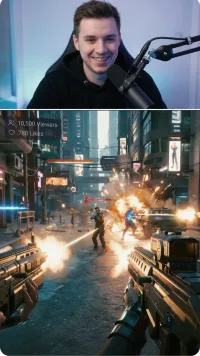
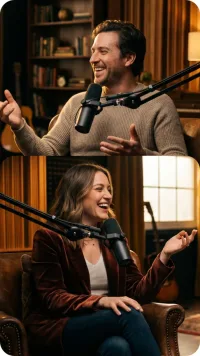
The moments worth posting, cut from the transcript and captioned.
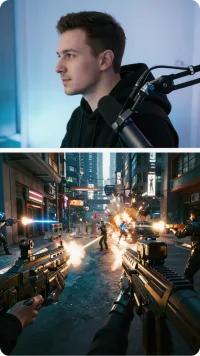
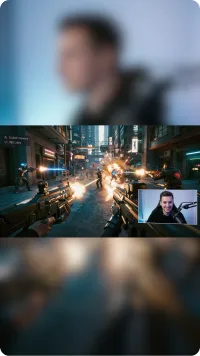
Reframed to vertical, square or wide, with hooks, b-roll and music.
A blog article, a newsletter, show notes, a LinkedIn post, an X thread.
Written with the whole episode as context, not just the 45 seconds on screen.
Quote cards, carousels and cover images built from the same material.
Templates, not a drawing tool — and you can finish one in Canva if you want to.
Send any of it to a connected account, now or on a date.
Every post is logged against the project it came from.
Views, likes, comments and shares come back from the platforms.
So the next project starts knowing what the last one did.
More than clips
Splicora keeps going: the writing around the clip, the visuals that carry it, and the post that publishes it — all from the same transcript.
A blog article, a newsletter, show notes, a LinkedIn post, an X thread, the caption itself. Each one is written with the full recording as context — who was speaking, what the argument was, what came before the moment you clipped.
Cut from the transcript, captioned, and reframed to vertical, square or wide with the subject kept in shot.
Built from templates using the same material. Not a drawing tool — and you can download one to finish elsewhere.
How it works
You are never choosing between disconnected tools. Each stage hands its work to the next, and you can stop at any of them.
The product
Recorded in the app. This is what happens after you paste a link.
Publish and performance
Connect an account once. Send a clip, an article or a visual to it now or on a date, and the numbers come back to the project it came from.
Pricing
Every plan includes the whole workflow. The difference is how much you run through it.
Get started with the basics
Perfect for consistent creators
For creators serious about growth
Scale with your whole team
Questions
A YouTube link, a video file, a Google Drive, Dropbox or OneDrive share link, a Vimeo video, a podcast RSS feed, or any direct video link. You can also point Splicora at a YouTube channel or playlist and turn recent videos into projects in one go.
Short clips with captions, written content — a blog article, a newsletter, show notes, a LinkedIn post, an X thread, social captions — and visuals such as quote cards, carousels and cover images. All of it stays attached to the project it came from.
A way to make a short without filming anything. You give Splicora a topic, a script or an article; it writes the narration, reads it in an AI voice, finds stock footage for each beat, times captions to the words and returns a finished vertical video.
Yes. Clips open in the editor, written pieces are editable text you can regenerate or rewrite, and visuals can be adjusted or downloaded and finished elsewhere. Nothing publishes until you send it.
Yes. Connect an account once and Splicora posts to it natively, immediately or on a schedule you set. You can also hold posts for approval before they go out.
Each source becomes a project. The clips, writing, visuals, scheduled posts and performance data for that source all live in that project, so you can come back later and see exactly what one recording produced.
Yes. There is a free plan you can start on without a card, and right now every feature is unlocked on it. The paid plans above are what the higher usage tiers will cost.
Yes. Team plans add seats and shared brand voices, so an agency can keep a separate voice and content library per client in one workspace.
Install Splicora on your phone for the full app experience — no app store needed. Access all features, get notifications, and create content on the go.
Works like a native app — no download from the App Store or Google Play required.
Paste a link and see what comes back.
Free to start · No card required
Switching from Repurpose.io or OpusClip? See how Splicora compares








 iPhone / iPad
 Android